PlanGrid vs Temi: The Honest Comparison
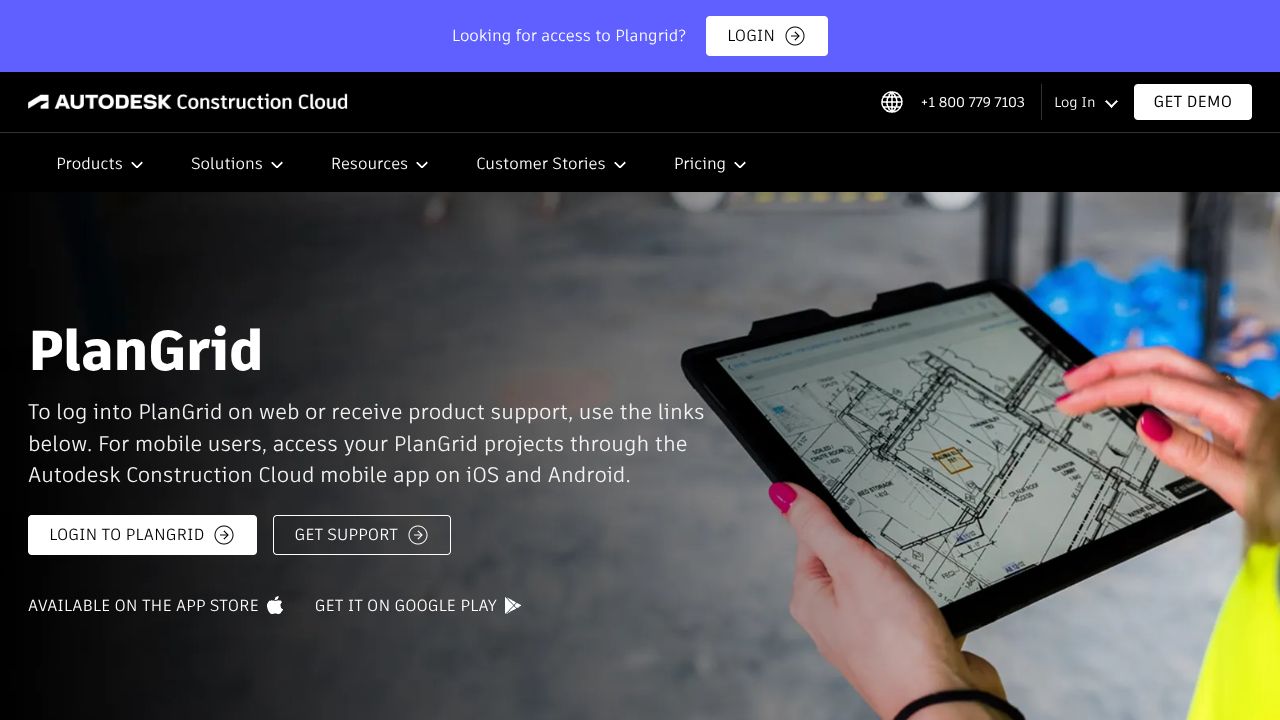
Blueprints Don’t Wait for Wi‑Fi: Why PlanGrid’s Offline-First DNA Still Matters
You know the drill—job trailer is a quarter-mile away, the crane’s idling, your foreman’s holding a printed sheet with last week’s rev, and your phone’s bouncing between 1 bar and “SOS.” Meanwhile, three trades are arguing about which dimension wins. That’s the kind of chaos PlanGrid (now inside Autodesk Build) was built to kill. It gives construction teams real-time access to drawings, issues, RFIs, photos, and forms—without sacrificing offline reliability. The philosophy is refreshingly pragmatic: unlimited projects, feature-complete at every tier, and scale only by sheet count. Under the hood, it feels engineered for the field first: fast local rendering, resilient sync, collaboration primitives that don’t fall apart when you’re 25 feet underground. I’ve run plenty of “paperless” pilots; PlanGrid is one of the few that stayed useful when the signal didn’t.
Architecture & Design Principles
PlanGrid is architected as an offline-first, mobile-centric system with server-backed synchronization and versioned documents. The client apps aggressively cache sheets, metadata (issues, RFIs, forms), and markups locally so daily work is never gated on network availability. Sync follows a delta-based approach: only changes since the last revision are exchanged, minimizing bandwidth and contention on spotty LTE. Conflict handling is scoped to granular objects (e.g., an annotation or issue record), so parallel edits rarely collide; where they do, last-writer-wins with revision history is a typical resolution model.
Sheet versioning and comparison rely on maintaining canonical sheet identifiers across revisions and storing markups in separate, layer-like structures. Rendering pipelines optimize for large vector PDFs and image-based shop drawings, with client-side tiling for smooth pan/zoom. On the backend, think multi-tenant storage, content-addressed assets, and CDN distribution for quick downloads when online. Scalability is achieved by partitioning data per project and user, with idempotent APIs to keep sync robust against intermittent connectivity.
Feature Breakdown
Core Capabilities
-
Real-time sheet management and comparisons: Technically, sheets are tracked as versioned assets; when you upload Rev B, the system maintains lineage and enables overlay comparisons. The client performs a visual diff (vector or raster-based, depending on the source), highlighting changes. Use case: a superintendent can verify that wall types updated in Rev D actually propagated to the corridor details, even while offline, then push resolved markups to the team when back online.
-
Issues and RFIs with structured data: Issues and RFIs are stored as structured records with links to sheet coordinates, photos, and forms. This means an RFI isn’t just text—it anchors to a drawing location, carries attachments, and moves through a state machine (open, in review, closed). Use case: a project engineer logs an RFI on a mechanical clash directly on the sheet pin, attaches as-built photos, and later exports it to stakeholders via Autodesk Build modules without re-entry.
-
Mobile annotations and offline-first collaboration: Markups are layered objects (callouts, clouds, text) rendered on top of sheets, with per-object metadata (author, timestamp). Offline creation is instant; sync queues changes for later, maintaining authorship and revision context. Use case: field crew marks a discrepancy on Level 04 slab while underground, and the PM sees it sync into the shared set—no “did you get my text?” dance.
Integration Ecosystem
PlanGrid Connect functions like an iPaaS layer—triggers (e.g., new issue, new RFI, sheet uploaded) can fan out to connected systems, while actions can push updates back into PlanGrid/Autodesk Build. Expect RESTful endpoints for core resources (sheets, issues, RFIs, photos) and event hooks for automation. In practice, you’ll wire flows into scheduling, cost, or document control systems, and for Autodesk Build users, deeper modules (BIM coordination, submittals, cost controls) interoperate with the same project graph. Net effect: fewer swivel-chair integrations and better single-source-of-truth behavior.
Security & Compliance
Data is encrypted in transit and at rest, with project- and role-level permissions controlling who sees which sheets, issues, and RFIs. Under Autodesk stewardship, you should expect enterprise guardrails—SSO/SAML, SCIM provisioning, audit logs, and robust permission hierarchies—plus industry certifications (e.g., SOC 2 Type II, ISO 27001). Always confirm current attestations and data residency options via the Autodesk Trust Center before rolling out to regulated jobs.
Performance Considerations
Performance hinges on two things: client rendering and sync efficiency. PlanGrid’s mobile app prefetches and tiles sheets so pan/zoom stays 60fps on modern devices, even with heavy vector PDFs. Delta sync keeps bandwidth usage sane for large photo sets and multi-hundred-sheet projects. You’ll still want device storage headroom—offline caches can grow quickly—and to budget for background sync time when getting back online. On sites with thousands of sheets, partition downloads by discipline or floor to keep initial sync lean.
How It Compares Technically
While Temi, Sonix, and Tactiq excel at turning speech into searchable text with real-time or near-real-time transcription, PlanGrid is better suited for spatially anchored collaboration on drawings. The transcription tools win on language models, diarization, and meeting plugins (Zoom/Meet) and are cheaper per hour of audio. But they lack the domain primitives PlanGrid provides: sheet versioning, coordinate-linked issues, RFI workflows, and offline markup. If your “communication” is primarily voice and meetings, pick those. If your communication lives on plan sets and field artifacts, PlanGrid is the right abstraction.
Developer Experience
Documentation is pragmatic, with clear object models (projects, sheets, issues/RFIs, attachments) and predictable REST patterns. PlanGrid Connect reduces code by letting non-devs orchestrate flows; engineers can drop into APIs/webhooks for custom glue. Since PlanGrid is now within Autodesk Build, expect consolidation under Autodesk Construction Cloud APIs and auth models. Migration note: legacy endpoints usually coexist for a while, but plan for token scopes, rate limits, and sandbox testing before touching production projects.
Technical Verdict
PlanGrid’s strength is its offline-first, drawing-native architecture paired with full features at every tier. Pricing is transparent for legacy users—Nailgun (up to 550 sheets), Dozer (up to 5,000), Crane (unlimited)—and scales by sheet count, not features. New Autodesk Build customers will route through sales for equivalent tiers, with the upside of deeper BIM, cost, and submittal integrations. Limitations: it’s not a general document system for non-drawing-heavy teams, and extremely media-heavy projects can tax device storage. If your crew lives on plan sheets, needs bulletproof field reliability, and wants collaboration without feature gating, PlanGrid remains a smart, thoughtfully technical choice.